
CrownGreen Login
Signing in at CrownGreen takes one modal window called Welcome Back. The same credentials work on desktop, in the mobile browser and in the installed app, and they open the balance, the cashier and every promotion available on the CrownGreen casino site.
How to Log In to CrownGreen
The login button sits in the header next to the sign up button. The form asks only for the email and the password used at registration.
Press LOGIN in the header
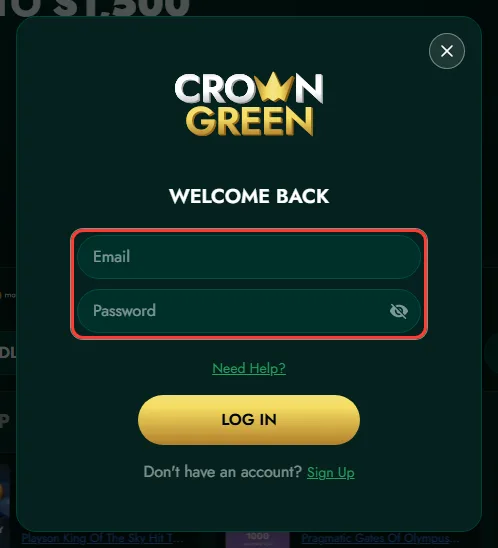
The Welcome Back window opens over the current page, so you do not lose your place in the lobby.

Enter your email and password
Use the show and hide icon in the password field to check the characters before you submit.
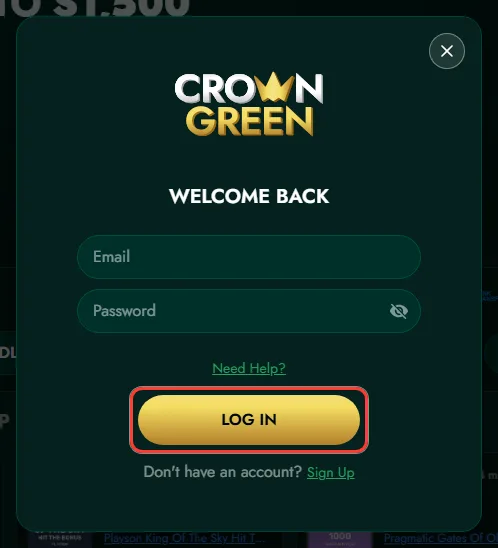
Press LOG IN
After the form is accepted the account area opens with your balance, bonuses and cashier.
How to Recover Your Password
The login window has a Need Help link for exactly this case. Recovery runs through the email address linked to the account, so access to that mailbox is the only requirement.
- Open the login window and press Need Help.
- Enter the email address used at registration.
- Open the message from the casino in your mailbox.
- Set a new password and sign in with it.
Common Login Problems
- Wrong email: an address with a typo will not be recognised, even if the password is correct
- Caps Lock or autofill: the password field is case sensitive and saved values can be outdated
- Browser cache: clearing cookies and reloading the page solves most session errors
- Account restrictions: if the form is accepted but the account does not open, contact support from your registered email
Keeping Your Account Secure
Use a password that is not repeated on other sites, log out on shared devices and keep the email linked to the account under your control, because password recovery and payment notices go there. If you suspect that someone else has used your credentials, change the password first and then write to CrownGreen support.
Logging In From a Mobile Device
The mobile version uses the same form. Once the site is added to the home screen as a progressive web app, the session stays in that window and the login screen appears less often. Installation instructions for Android and iPhone are on the CrownGreen app page.
FAQ
Short answers to the questions players from Canada ask about CrownGreen Login.